Every order on its own label.
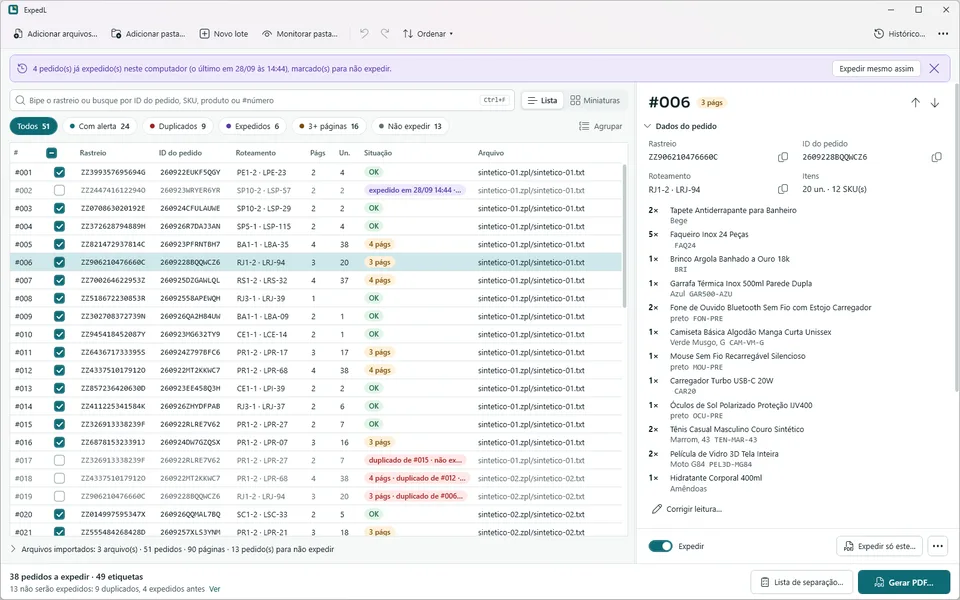
ExpedL is my biggest project so far: a Windows app that turns Shopee's shipping labels into PDFs for a 4×6 thermal printer, one whole order to a label, without a single label leaving the computer.
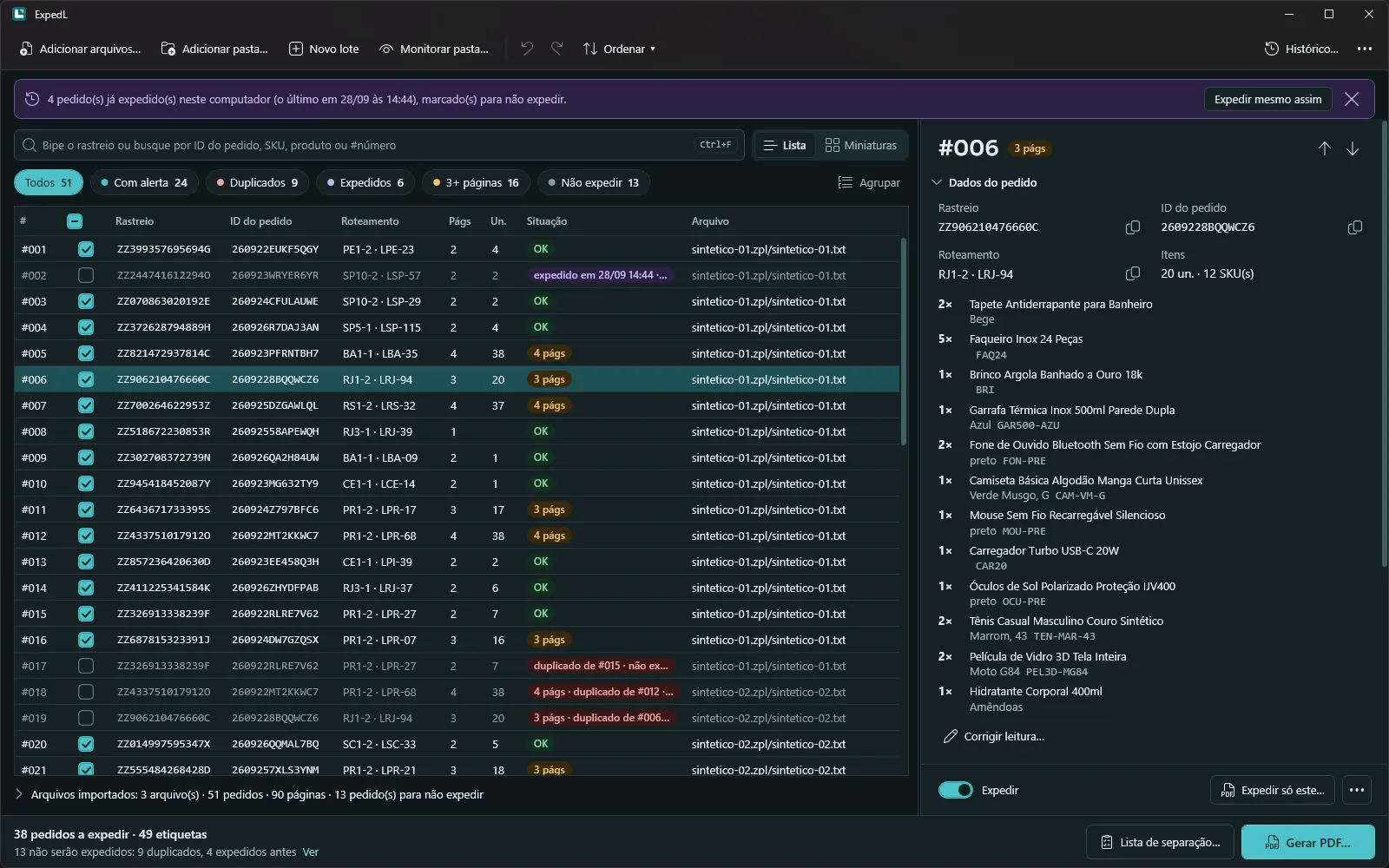
A friend prints the shipping labels at a company that sells on Shopee. Each order is two pages, a label and a checklist, printed two to a 4×6 sheet, so one sheet carries one order. When a checklist spills onto a third page, every label after it prints stuck to the order before. ExpedL gives every order an even number of pages, with a blank after an odd one, and builds each 4×6 label itself, so it prints at 100% with nothing to set up. It also keeps an encrypted history, so an order that already went out doesn't print twice.
Shopee's files hold no text, only one bitmap per page, so there is no ZPL library underneath. A small interpreter accepts a closed list of commands and rejects anything else instead of printing a wrong label, and the PDF writer is my own too. Barcodes are redrawn with whole-dot bars, so the 44-digit invoice barcode still reads on the reduced page: 50 of 50 in a digital reader, against 0 of 50 from the free converter it replaces. Order IDs, routing and items come from the OCR built into Windows, and the app never opens a network connection.
Before
- Sheet 45p.89Label Ap.90Checklist A
- Sheet 462 ordersp.91Checklist Ap.92Label B
- Sheet 472 ordersp.93Checklist Bp.94Label C
With ExpedL
- Sheet 45p.89Label Ap.90Checklist A
- Sheet 46p.91Checklist Ap.92Blank
- Sheet 47p.93Label Bp.94Checklist B
- Version
- 1.0.0, released 28 Sep 2026
- Runs on
- Windows 10 and 11, 64-bit. One 62 MB .exe, no admin rights
- Built with
- C#, .NET 10, WPF and the Windows OCR
- Tests
- 482 automated, run in CI on a clean Windows machine
- Size
- About 25,000 lines of C# and XAML, written in two days
- Network
- None. No account, no cloud, no telemetry
Commercial · licensed per computer · trial key by email